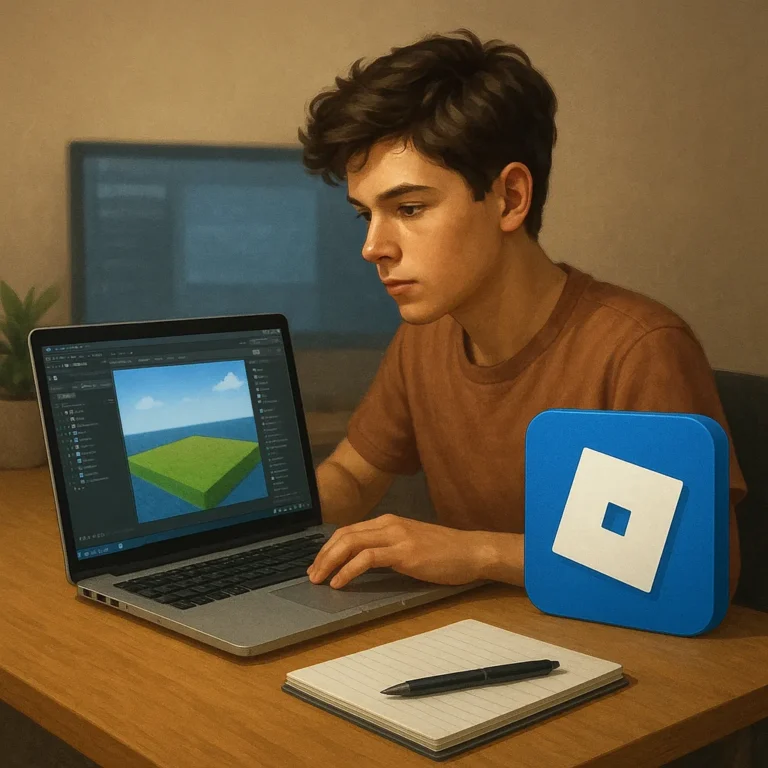
New creators often mistake expensive software for the main barrier to earning Robux. In reality, a useful starting foundation comes from learning how to design, build, test, and explain a small Roblox project with tools that cost nothing. Roblox Studio, Creator Hub documentation, basic image editors, version control habits, and simple planning templates can cover much of that journey. The harder part is choosing a focused skill and practicing it consistently. A beginner does not need to master every discipline or promise income before publishing. This guide maps free resources to practical stages of creation, from selecting an idea to collecting feedback and presenting work safely. The aim is to replace vague “get rich” advice with a manageable learning system that can grow into legitimate creator opportunities.
Choose One Skill Before Collecting Tools
Start with a role that matches the project you want to make. A builder can practice terrain, parts, lighting, and clean layouts in Roblox Studio. A scripter can begin with short Lua lessons and a mechanic, such as a door, checkpoint, or inventory counter. A designer can study readable interfaces and make simple icons with a free editor. Write a practice brief: what you will create, who will use it, and how success will look. This prevents tool collecting from becoming procrastination. One finished prototype teaches more than ten downloads, especially when each experiment answers a specific design question.
Use Roblox Studio as a Starting Lab
Roblox Studio already provides the environment for building, scripting, testing, and publishing an experience. Learn its Explorer, Properties, playtesting, and terrain workflows instead of searching for advanced add-ons. Work in copies so an experiment cannot damage the project. Name objects clearly, group assets, and save versions before major changes. Creator Hub tutorials can guide beginners through scripting concepts, performance, and requirements, while the output of each lesson should become part of a prototype. Treat documentation as a reference to apply, not content to consume passively. The goal is confidence with a workflow, not a folder full of tutorials.
Add Creative Tools Only When They Solve a Need
An image editor can help create thumbnails, icons, and interface mockups; a 3D tool can help with modeling practice; a screen recorder can document tests and tutorials. Choose software by the task, not by popularity. Check export formats, licensing terms, update history, and whether the tool is safe to download from its official source. Keep source files organized with descriptive names and a folder structure. Do not use ripped assets, copied logos, or music without permission. An original asset made consistently is more valuable to a portfolio than a polished file whose ownership cannot be explained.
Practice Collaboration and Presentation for Free
Earning foundations are also built through communication. Use an issue tracker, document, or version-control repository to record tasks, bugs, decisions, and credits. If you collaborate, agree in writing about ownership, permissions, deadlines, and how any revenue would be handled. Never share passwords or accept vague promises that someone else will “pay later.” Create a project page showing your role, screenshots, a link when appropriate, and what you learned. This portfolio does not guarantee Robux, but it makes your abilities easier for teams to evaluate. Clear communication can become a skill that earns opportunities even before a game is popular.
Turn Free Practice Into a Learning Plan
Set a four-week cycle with one deliverable each week: a mechanic, a test build, a feedback revision, and a prototype. At the end of each cycle, review what took longest, what confused testers, and which skill deserves practice. Keep a progress log with links, screenshots, and lessons rather than vague claims of improvement. When you explore monetization, research Roblox eligibility and policies through official sources before making promises. Free tools remove cost, not responsibility. A record of finished work, respectful collaboration, and testing creates a stronger base for legitimate Robux opportunities than shortcuts, generators, or copied projects can.
Where to continue your research safely
To keep researching, review Roblox Studio documentation Roblox Creator Hub Blender GIMP and compare which option makes the most sense for your situation.
Key criteria to compare before you decide
A good decision depends on more than a first impression. Compare total cost, timing, reputation, effort required, and the clarity of the offer conditions. When those criteria are visible together, it becomes easier to tell whether an option solves the problem or only looks attractive at first.
How to use this guide for your next step
Review the criteria before moving forward
Find free tools and skills that help new Roblox creators build a stronger foundation calls for context, comparison, and patience. Use the points above as a practical checklist: revisit your goal, look for concrete signals, and move forward only when the choice fits your current needs.